Filed alphabetically, always
Every note and folder sorts A to Z on its own, with a letter rail down the side to jump straight to the letter you want. Numbers and symbols file under #.
Notarum is an alphabetical notebook. Notes and folders file themselves A to Z, with nested folders, colour labels and favourites. Copy a whole note in one tap, or open it straight into editing. Everything is encrypted and stays on your device.
Get Notarum
In developmentNotarum is being built for iPhone, iPhone Duo, iPad, Mac and Android. It is not on the App Store or Google Play yet.
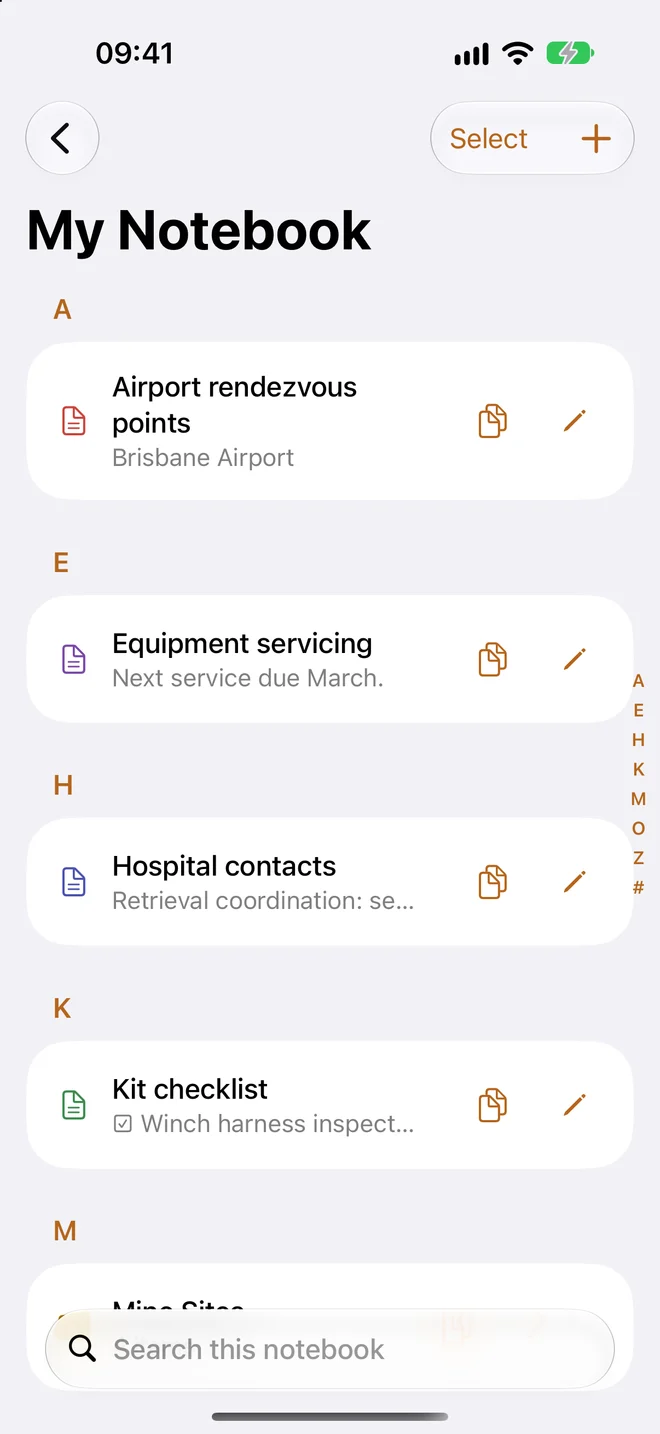
Every note and folder sorts A to Z on its own, with a letter rail down the side to jump straight to the letter you want. Numbers and symbols file under #.
A Copy button sits on every row and every open note. One tap copies the note, formatting and all, without opening it or changing a thing.
The Edit button opens the note ready to type. Bold, italic, headings, bullet and numbered lists, checklists, tables and dividers are one tap away.
Nest folders as deep as you need. Moves that would loop a folder into itself are refused, so nothing gets lost.
Give any note or folder one of twelve colour labels, star the ones you use most, and archive what you are finished with. Colours always come with a name, never colour alone.
Every note, title and colour is encrypted with AES-256 before it touches storage. The key stays in the Keychain. There is no account and nothing is uploaded.
Export a notebook from iPhone, iPad or Mac and import it on Android, or the other way round. The export file is a plain JSON format you can keep.
If two windows change the same note, the second version is kept as a clearly named copy instead of quietly replacing the first.
A focused stack on iPhone, and the list beside the note on iPad and Mac. Your place and unsaved changes carry over when you rotate or resize.
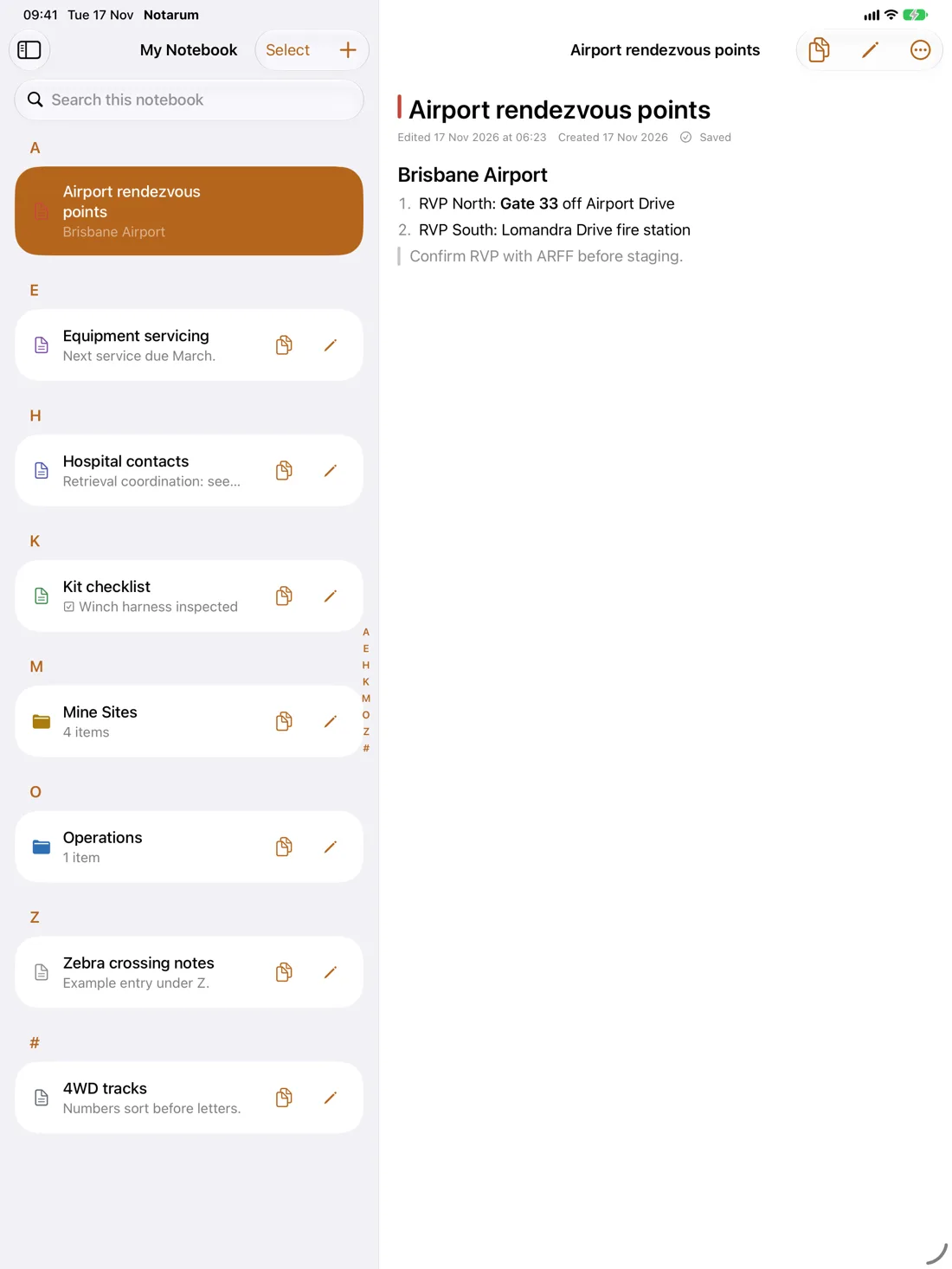
iPad and Mac
On larger screens Notarum shows your notebooks, the A to Z list and the open note together. When there is less room it keeps the list and the note, and the notebooks are one tap away. Your place, open note and unsaved changes carry over when you rotate or resize.
Simulator captures from the current development build. Select any screen to view it larger.
No account, no advertising, no analytics and no tracking. Notes are encrypted on your device and nothing is uploaded. The only thing that ever leaves the app is a problem report you choose to send, and you see it first.